What Is Accounts Receivable Automation?
Accounts receivable automation helps businesses reduce manual collection work, improve invoice visibility, and create consistent follow-up processes for outstanding payments.

Understanding Accounts Receivable Automation
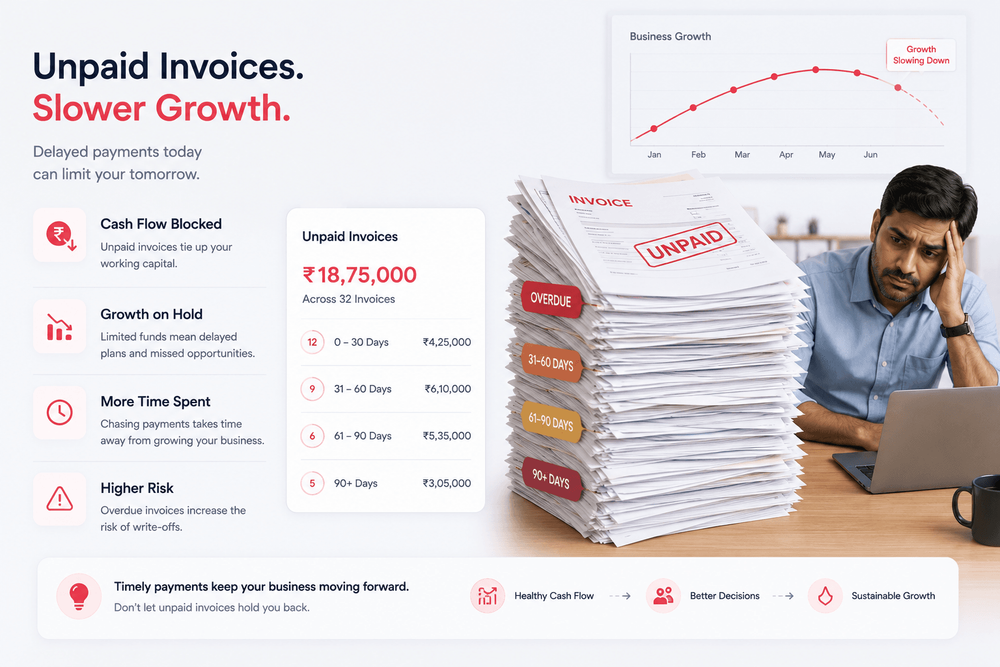
Every business expects to get paid for the products or services it delivers. However, collecting those payments often requires significant administrative effort.
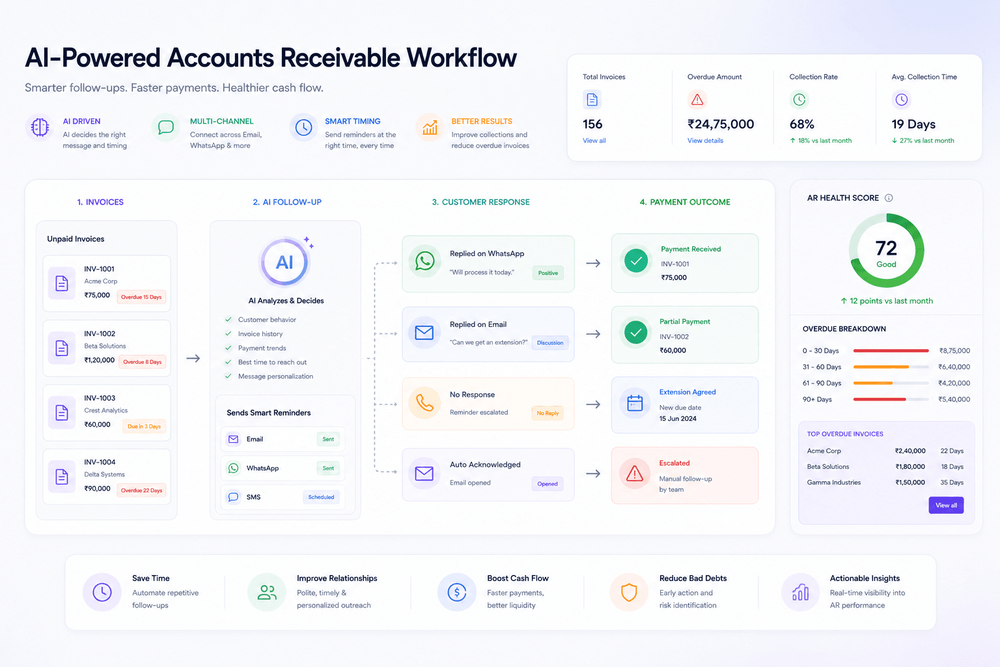
Accounts receivable (AR) automation is the process of using software and structured workflows to manage outstanding invoices, payment reminders, communication history, and collection activities.
Instead of relying on spreadsheets, calendars, and manual follow-ups, businesses can automate repetitive tasks while maintaining visibility into unpaid invoices.
For growing businesses, AR automation helps create consistency without increasing administrative workload.
Why Traditional Accounts Receivable Processes Struggle
Many businesses still manage receivables through:
- Manual reminders
- Email follow-ups
- Spreadsheets
- Personal notes and memory
While these approaches may work at a small scale, challenges often appear as invoice volume increases.
Common issues include:
- Missed follow-ups
- Inconsistent communication
- Limited visibility into overdue balances
- Difficulty tracking customer commitments
- Time-consuming administrative work
As businesses grow, manual processes often become difficult to maintain.
What Can Be Automated?
Modern accounts receivable systems can automate several routine tasks.
Invoice Monitoring
Track outstanding invoices and identify overdue balances automatically.
Reminder Scheduling
Send reminders based on invoice age or predefined follow-up stages.
Examples may include:
- 0–7 day reminders
- 7–14 day reminders
- 14–21 day reminders
- Escalation review stages
Communication Tracking
Maintain a record of emails, messages, and customer responses in one place.
Reporting and Visibility
Provide dashboards and reports that help teams understand:
- Outstanding balances
- Invoice aging
- Collection activity
- Customer payment behavior
Benefits of Accounts Receivable Automation
Businesses often adopt AR automation to improve:
Consistency
Follow-ups happen according to defined workflows rather than memory.
Visibility
Teams gain a clearer understanding of invoice status and collection activity.
Efficiency
Administrative work is reduced by automating repetitive tasks.
Scalability
Processes remain manageable even as invoice volume grows.
The objective is not to guarantee payment outcomes but to create a more organized and reliable collection process.
Common Misconceptions About AR Automation
"Automation Replaces Human Communication"
Not necessarily.
Some situations still require personal outreach, payment discussions, or escalation reviews.
Automation is most effective when it handles repetitive tasks while allowing teams to step in when needed.
"Automation Means More Aggressive Collections"
The goal is usually consistency, not pressure.
Well-designed workflows help businesses maintain professional communication throughout the collection process.
"Automation Guarantees Faster Payments"
No system can guarantee when a customer will pay.
Automation improves visibility and process management, but payment timing ultimately depends on customer behavior and business relationships.
How Claro Flow Fits Into the Process
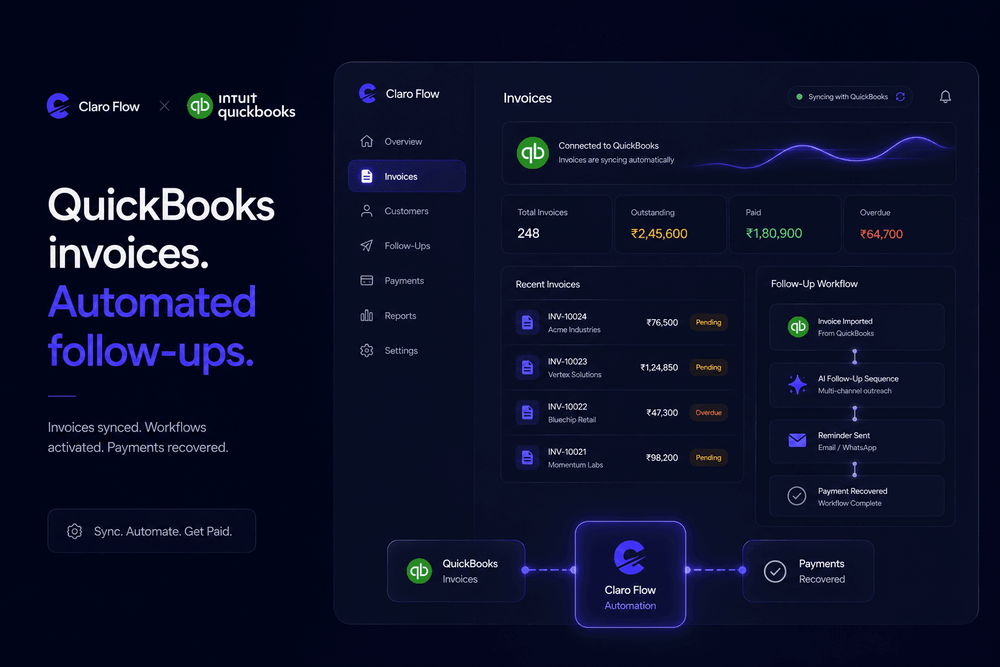
Claro Flow is designed to help businesses manage accounts receivable activities through structured workflows.
Teams can:
- Track outstanding invoices
- Organize reminders by invoice age
- Monitor communication history
- Record customer commitments
- Identify invoices that may require escalation
Rather than relying on manual tracking, businesses gain a centralized view of collection activities and receivable performance.
Signs Your Business May Need AR Automation
You may benefit from accounts receivable automation if:
- Follow-ups depend on memory
- Invoice tracking relies on spreadsheets
- Overdue invoices frequently go unnoticed
- Reporting requires significant manual effort
- Collection activities consume too much team time
These are often indicators that manual processes are becoming difficult to scale.
Final Thoughts
Accounts receivable automation is not simply about sending reminders automatically.
It is about creating structured, repeatable workflows that improve visibility, reduce administrative effort, and help businesses manage outstanding invoices more effectively.
As invoice volumes increase, automation can help organizations maintain consistency, track communication, and make better decisions about their collection processes while supporting healthier financial operations overall.